
Choose a source
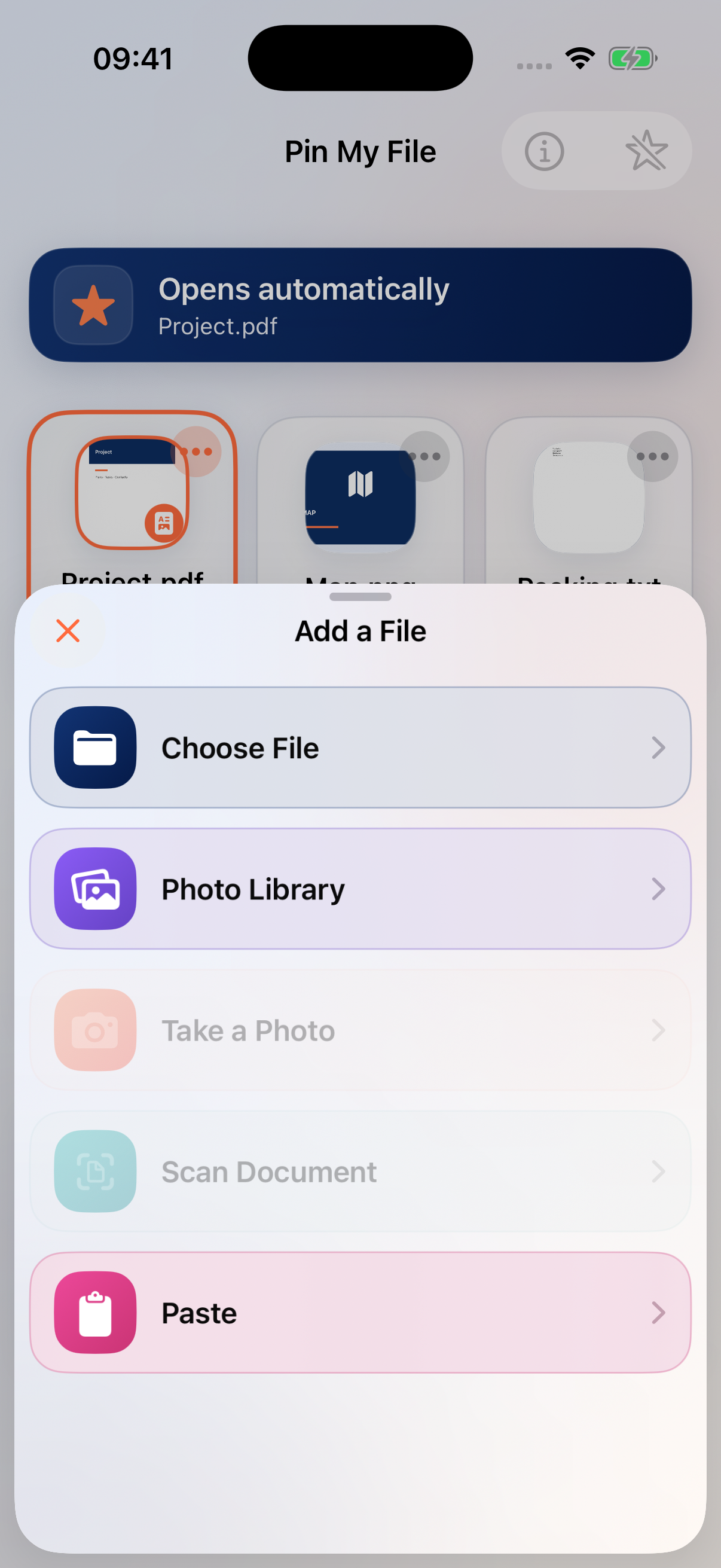
Tap an empty slot. Choose Choose File for a document, Photo Library for an existing image, or Paste for copied text, a link, image or file. On a supported iPhone, Take a Photo and Scan Document use the camera.
The first slot is free. Saving into slots 2–9 requires Full Access.
Rename, replace or share a copy
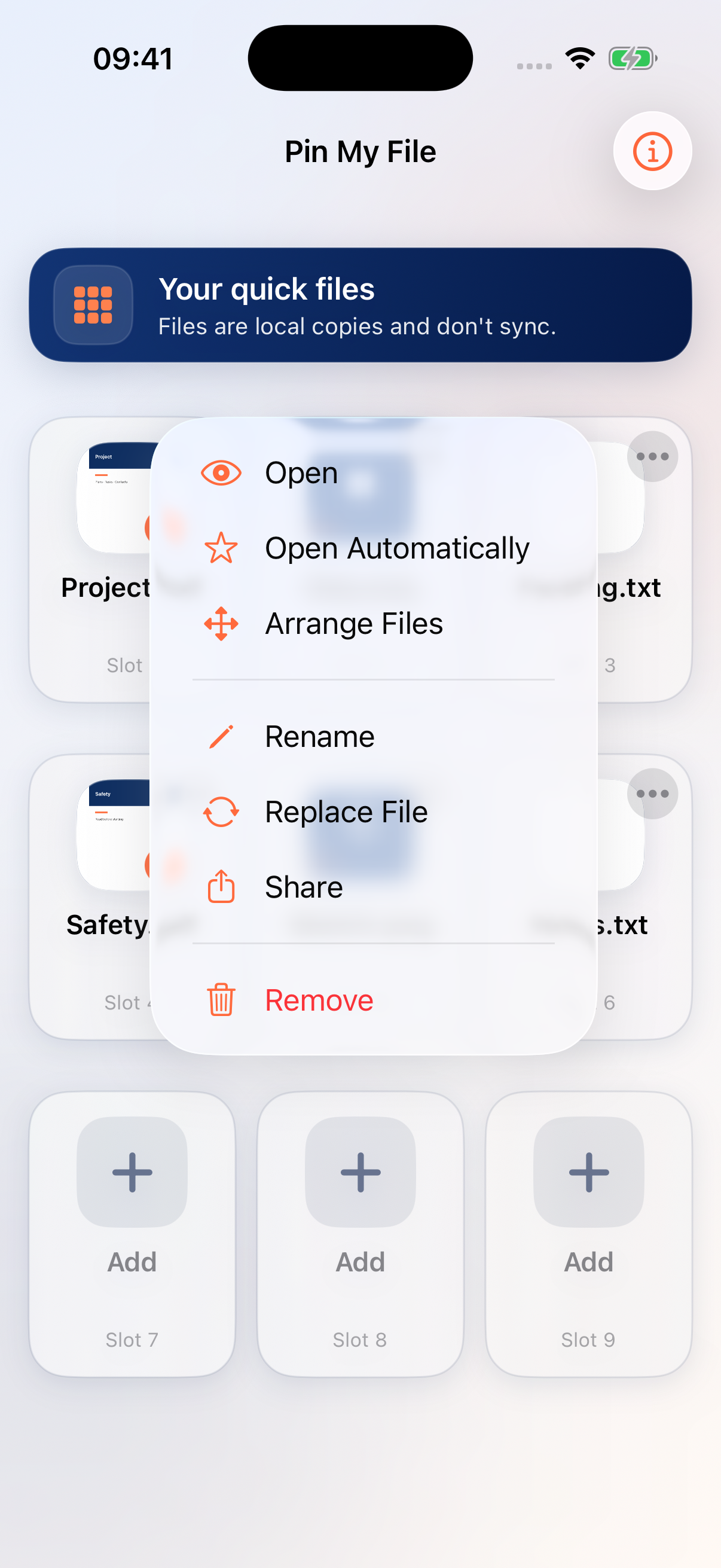
Tap the three-dot options button on a file. Rename changes its name in Pin My File. Replace File puts a different file in the same slot. Share opens the system sharing options.
Understand local copies
Imported documents remain available offline once saved. They do not sync with their original location. Pasting or sharing a web link saves a link, not an offline copy of the website; opening its destination may need an internet connection.
Remove a file safely
Remove deletes Pin My File’s copy, not a separate original. Before removing a photo or scan created in the app, share it somewhere safe if you want to keep it. It may be your only copy.
Keep exploring
Need a hand?
Tell us what you tried, your iOS version and your Pin My File version. Please do not attach private files.
Email support